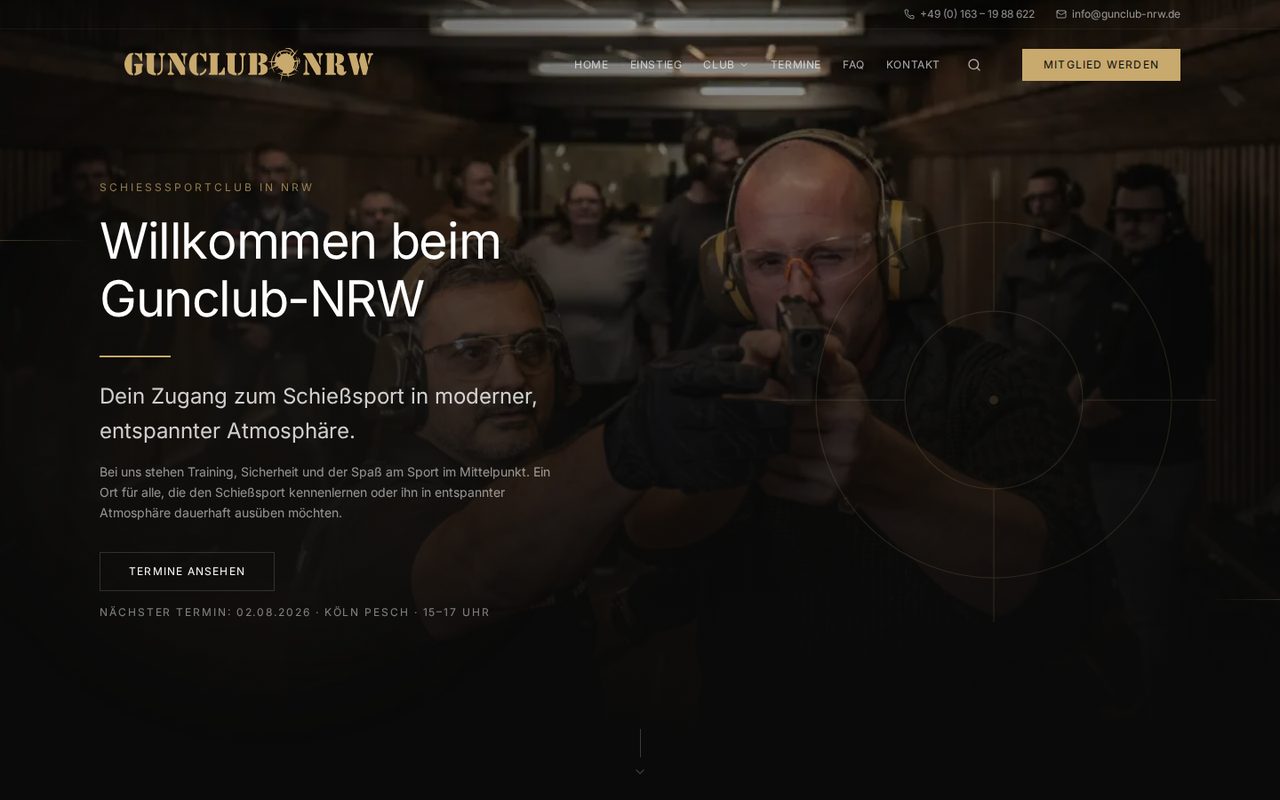
Premium-Clubauftritt mit klarem Einstieg: Probetraining, Mitgliedschaft und Termine — modern, sicher und ohne Vereins-Ballast.
Live ansehenWhen work currently runs through spreadsheets, emails, files, and side messages, teams lose time searching, asking, and entering data twice. We build portals, dashboards, and workflows that move tasks, roles, data, and decisions into clear states.
Zwei live im Netz stehende Umsetzungen — dieselbe Handschrift für klare Oberflächen, strukturierte Inhalte und Conversion-Pfade, die auch in Webanwendungen gilt.
Premium-Clubauftritt mit klarem Einstieg: Probetraining, Mitgliedschaft und Termine — modern, sicher und ohne Vereins-Ballast.
Live ansehen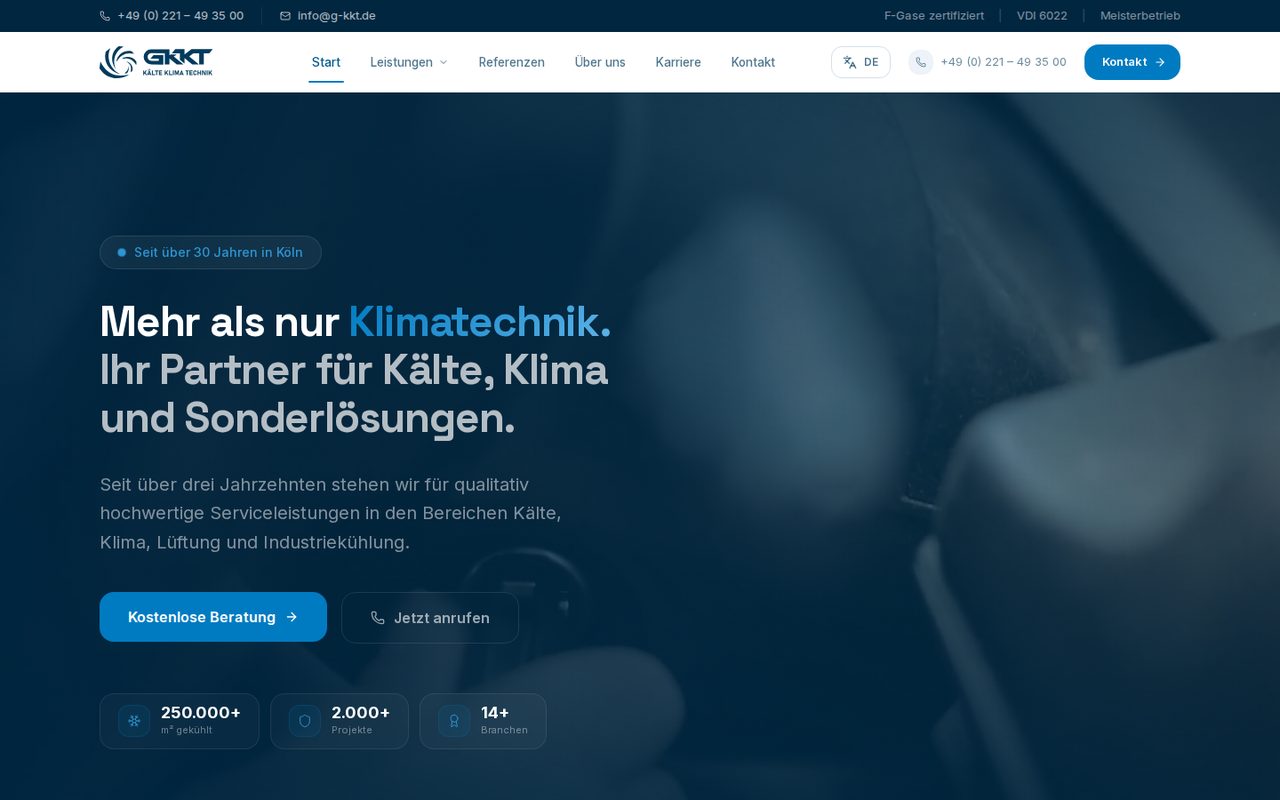
B2B-Auftritt für einen Meisterbetrieb mit 30+ Jahren: Leistungen, Projekt-Referenzen und Beratungs-CTA auf einen Blick.
Live ansehenThe focus is not only a good-looking interface. A strong web application absorbs operational complexity: who may see something, who must act, which data is needed, and when a process moves forward.
We break the real process into states, roles, decisions, and exceptions before turning it into screens.
Recurring work becomes visible as a queue, checklist, or review stage. Every step has an owner, deadline, and next state.
Forms, files, external APIs, and existing systems are connected so data is not maintained twice.
Internal teams get interfaces for control, review, and operations, not just a polished frontend for end users.
Lower search volume than marketing websites — higher commercial intent. Scoped MVPs, dashboard delivery, honest security handoff.
Custom software for one clear business process — scope and acceptance, not an open backlog.
Critical internal workflows: approvals, ops dashboards, bounded admin systems.
Partner and customer access with roles, files, and status — not email chaos.
A web application is worth it when it measurably removes recurring friction from operations. That is why we start with effort, error sources, and ownership, not screens.
Where teams search for status, files, or ownership today, the first automation value appears.
Forms, files, APIs, and reports are connected so data is not maintained in several tools.
Queues, roles, and notifications show who needs to act and when a case moves forward.
Clear states and required fields prevent work from being handed off with missing context.
We treat complexity as a system question: model first, interface second, integration third. This turns a vague tool wish into a solid release plan.
We clarify which tasks are currently manual, distributed, or error-prone.
Roles, data, states, approvals, and exceptions are modeled as a resilient process.
The first release focuses on the core process instead of an overloaded wish list.
Interfaces, data model, permissions, files, APIs, and notifications fit together.
Review, tests, handover, and growth path stay documented so the application can keep evolving.
Good applications align domain work and technology. That is why we plan data model, permissions, actions, integrations, and handover as first-class topics.
The interface is built for repeated use: cases, priorities, data, files, actions, and decisions stay in context instead of separate tools.
Approvals attach to the case, not individual messages.
Notifications, status changes, and exports are automated where they save work.
Admin surfaces, permissions, logs, and handover are considered from the start.
Screens come from tasks, states, and decisions. Not from decorative mockups.
Roles, permissions, data, and edge cases get clear places so teams do not fall back into email logic.
We build so MVP, operations, integration, and later extensions do not work against each other.
Start with a structured request. We clarify process, roles, data, integrations, and a sensible MVP boundary before ideas become a build.