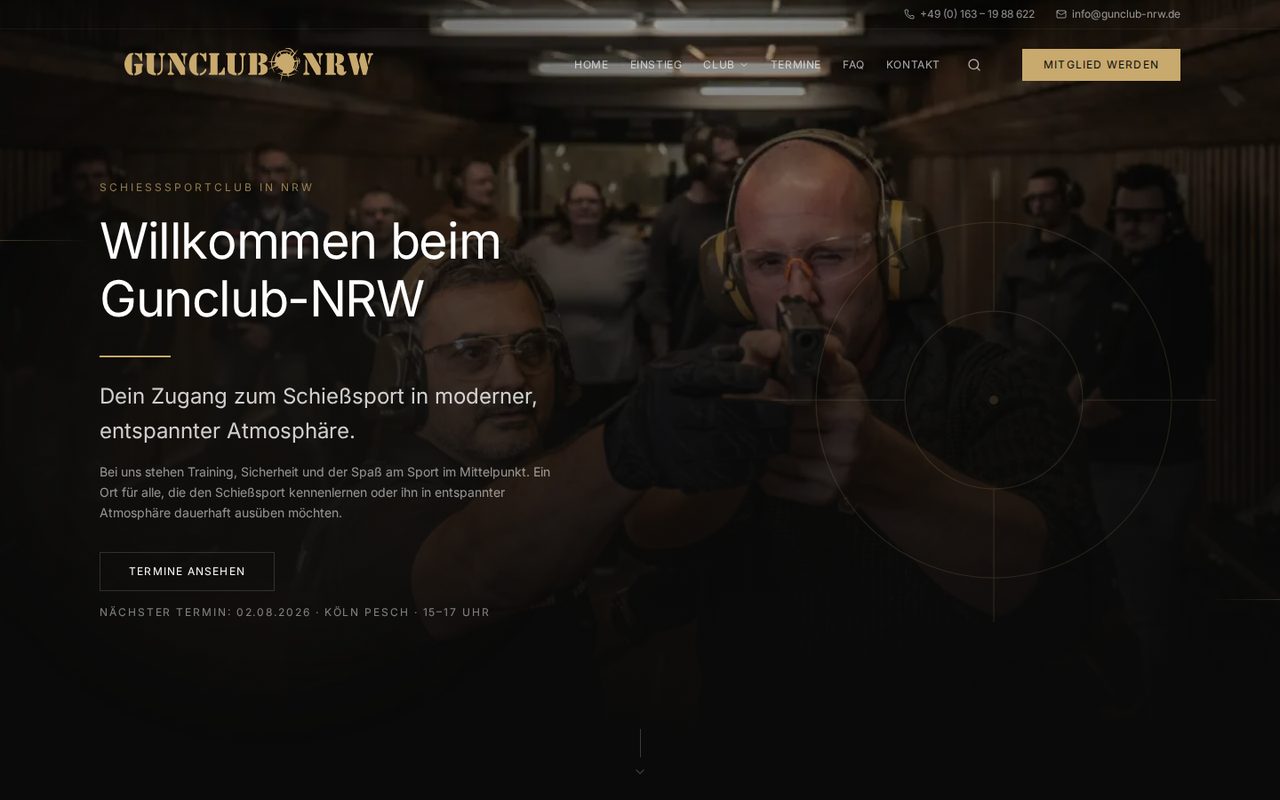
Premium-Clubauftritt mit klarem Einstieg: Probetraining, Mitgliedschaft und Termine — modern, sicher und ohne Vereins-Ballast.
Live ansehenIhre Website soll schneller erklären, warum ein Kunde handeln sollte, und gleichzeitig Projektumfang, Feedback, Zahlungen und Übergabe kontrollierbar halten. Deshalb verbinden wir Angebotsschärfe, Design, Umsetzung und Kundenbereich in einem Prozess.
Zwei live im Netz stehende Projekte — mit Freigabe der Auftraggeber als öffentliche Referenzen. Klicken Sie durch: das Ergebnis ist das Produkt.
Premium-Clubauftritt mit klarem Einstieg: Probetraining, Mitgliedschaft und Termine — modern, sicher und ohne Vereins-Ballast.
Live ansehen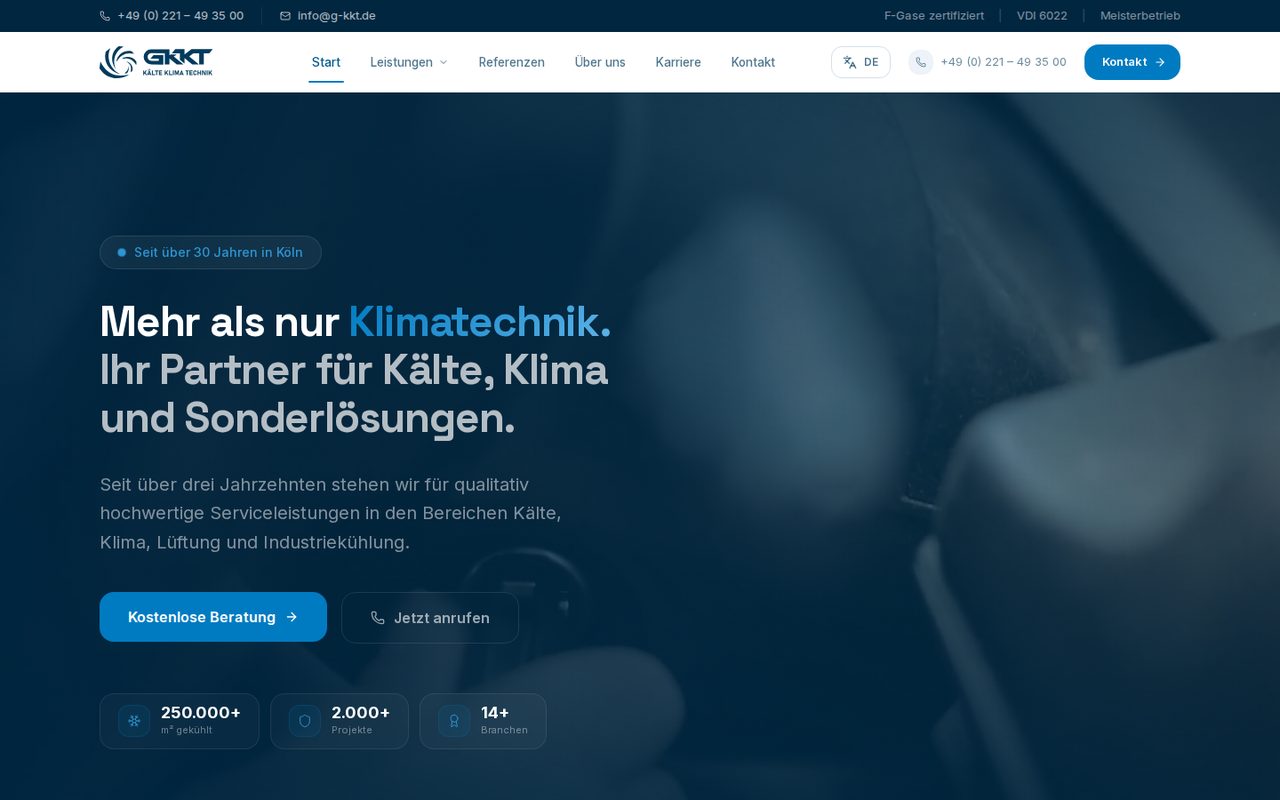
B2B-Auftritt für einen Meisterbetrieb mit 30+ Jahren: Leistungen, Projekt-Referenzen und Beratungs-CTA auf einen Blick.
Live ansehenDie Zusammenarbeit ist nicht als lose E-Mail-Kette gedacht. Ihr Projekt wird als digitale Akte geführt: Anfrage, Preis, Zahlungen, Dateien, Nachrichten, Reviews und finale Übergabe sind an einem Ort.
Der Start läuft über Kundenkonto und Projektfragebogen. Seiten, Funktionen, Timeline, Revisionen, Dateien und Zusatzwünsche werden strukturiert erfasst, bevor wir prüfen und freigeben.
Nach Freigabe entsteht eine Projektakte. Status, nächster Schritt, Gesamtpreis, Rechnungen, Dateien, Vorschau, Chat und Historie bleiben an einem Ort nachvollziehbar.
Feedback läuft nicht in verstreuten Nachrichten. Im Review markieren Sie Bereiche als „Alles in Ordnung“ oder beschreiben konkrete Änderungen mit strukturierten Kriterien.
Der Zahlungsplan ist 50 / 50. Die erste Rate startet das Projekt, die Schlussrate wird erst nach finaler Projektabnahme vor Übergabe fällig.
Das Paket ist nicht als lose Designleistung gedacht. Jeder Bestandteil reduziert entweder Kaufunsicherheit, Abstimmungsaufwand oder Übergaberisiko.
Welche Entscheidung soll der Besucher treffen? Welche Einwände müssen verschwinden? Daraus entstehen Struktur, Copy und Design.
Das Dashboard hält Preislogik, Dateien, Reviews, Rechnungen und Übergabe zusammen, damit das Projekt nicht in E-Mails zerläuft.
Am Ende stehen nicht nur Seiten, sondern ein Projekt-ZIP, klare Rechte, dokumentierte Entscheidungen und ein belastbarer Betriebspfad.
Sie erstellen Ihr Kundenkonto und starten den Projektfragebogen im Dashboard.
Seiten, Funktionen, Timeline, Revisionen und Dateien werden strukturiert erfasst und bepreist.
Wir prüfen die Anfrage. Nach Freigabe wird die 1. Rate sichtbar und das Projekt kann starten.
Design und Umsetzung laufen über Preview, Nachrichten und strukturierte Review-Checklisten.
Wenn alles passt, nehmen Sie das Projekt ab. Danach wird die Schlussrate freigeschaltet und die Übergabe-ZIP erscheint.
Alles, was projektentscheidend ist, bleibt dort, wo es hingehört: im Kundenbereich und in der jeweiligen Projektakte.
Status, nächster Schritt, Review-Stand, Preview, Dateien, Rechnungen und Nachrichten sind nicht über verschiedene Kanäle verteilt.
Preview, Review-Checkliste, Zahlungsplan, Dateien und Chat bleiben in einer Oberfläche.
Jeder kritische Schritt bekommt einen Status, einen Nachweis und einen klaren nächsten Zustand.
Scope, Dateien und erste Nachrichten hängen sofort am Vorgang.
Der Umfang wird sichtbar, bevor die erste Rate startet.
Zahlung folgt Status, nicht Bauchgefühl.
Checklisten, Preview und Nachrichten bleiben am Projekt.
Finale Zustimmung aktiviert den Abschluss.
Dateien und Rechte sind nach Abschluss greifbar.
Freigaben, Änderungswünsche, Dateien und Nachrichten hängen am Projekt statt an einzelnen E-Mail-Threads.
Die Raten werden passend zum Projektstatus aktiviert: Start, Design-Freigabe und finale Abnahme.
Nach Projektabnahme wird die Schlussrate freigeschaltet; die Projekt-ZIP erscheint im Header, sobald sie hochgeladen wurde.
Registrieren Sie sich kostenlos, füllen Sie den Fragebogen aus und sehen Sie Preis, Zahlungsplan und nächste Schritte direkt im Dashboard.
Starten Sie mit dem Intent, der zu Ihrer Entscheidung passt — dann die fokussierte Seite. Ergänzend zum Webdesign-Überblick, keine zweite Homepage.
Zuerst am hilfreichsten
Professionelle Website oder Homepage, die Angebot und Anfragen trägt — ohne monatelanges Agentur-Pingpong. Scope und Preis bleiben sichtbar, Meilensteine klar, Abnahme mit Kriterien. Auch für KMU und Mittelstand, wenn intern niemand die Lieferverantwortung tragen kann und Sie Kapazität mit Kontrolle brauchen. Barrierefreiheit (BFSG) und DSGVO-Grundlagen planen wir mit — ohne Fake-Zertifikatsversprechen.
Thema öffnen →Ein Relaunch soll Sichtbarkeit und Anfragen verbessern — nicht nur Farben tauschen. Wir priorisieren Struktur, Vertrauen und den Weg von der alten zur neuen Präsenz: Inventar, Redirects, Kernpfade und Abnahme. So bleibt SEO-Kapital im Blick, und das Projekt endet mit einem stabilen Cutover statt mit Baustellen-Feeling.
Thema öffnen →Traffic ohne Anfragen ist teuer. Wir gestalten Pfade, Botschaften und CTAs so, dass passende Besucher den nächsten Schritt finden — und unpassende sich selbst disqualifizieren. Das ist Conversion-Architektur für Unternehmen, die Pipeline wollen: klarer Traum-Outcome, höhere wahrgenommene Wahrscheinlichkeit, weniger Reibung bis zur Anfrage.
Thema öffnen →Im B2B zählen Glaubwürdigkeit, klare Leistung und ein nächster Schritt für Buying Committees. Wir gestalten Firmenwebsites und Online-Präsenzen für KMU und Mittelstand, die vor dem ersten Call Vertrauen aufbauen und Anfragen qualifizieren — mit Scope-Kontrolle und Abnahme, die zu professionellen Einkaufsprozessen passen. Kein B2C-Show, sondern Entscheidungsarchitektur.
Thema öffnen →Viele Unternehmen brauchen beides: eine Präsenz, die verkauft, und ein realistisches Bild ihrer digitalen Angriffsfläche. SHELL-AFFECT verbindet Premium-Webdesign mit optionalen Cybersecurity-Leistungen — klar getrennt, ehrlich priorisiert. Kein Security-Theater im Hero, kein Vermischen von Deliverables, eine Verantwortungslinie wenn Sie beides wollen.
Thema öffnen →